Carlos Aguilar, Tecmanic
Birthday Countdown on iPhone: Add Days-Until to Your Home Screen and Lock Screen
There is no single number of days until a birthday. It is the number of days from today to the next time that month and day occur, and it is 0 when today is that day. Enter the month and day below. The count runs in your browser, and the date is not sent anywhere. To keep the count on an iPhone, add a countdown widget to the Home Screen or the Lock Screen.
This guide uses Countdown Central: Events by Tecmanic. Taptronics, L.L.C. ships a different app, Countdown Central: Event Timer, so the App Store link below is listing id 6746177080. The Countdown Central: Events page says the download is free, and that an event can sit on the Lock Screen, the Home Screen, and the Dynamic Island. A future date counts down. A past date counts up. Workday mode counts Monday through Friday only. It says iPhone and iPad need iOS 18.2 or iPadOS 18.2 or later.
How many days until a birthday (quick method)
You do not need the year of birth. A days-until count only needs the month and the day. This page looks at this year first. If that date is still ahead, or is today, it uses this year. If the date has already passed, it uses next year.
How many days until my birthday?
February 29 is a real birth day, so the day menu allows it. In a leap year the next birthday is February 29. In any other year February 29 is not on the calendar, so this page counts to March 1 of that year. If today is that March 1, the result is 0, the same as any other birthday that falls today. February 30, and days that are not in the month, such as April 31, are not counted.
The year on your device decides which date is next. The month and day never leave the page.
Add a birthday countdown widget (Home Screen)
Create the birthday in the app, then add it beside your apps. A birthday usually includes Saturday and Sunday, so leave Workday mode off.
-
Open Countdown Central: Events and create the event. The app page says you pick a name and a date. Use the person's name and the next birthday. A future date counts down.
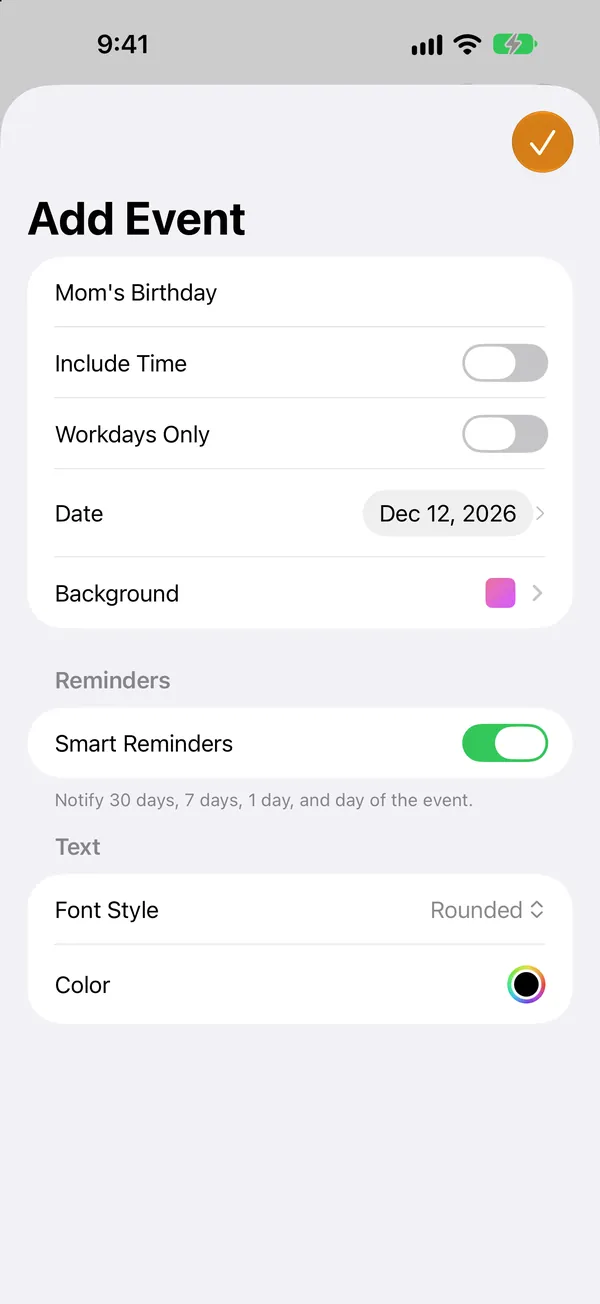
-
On the Home Screen, touch and hold the background until the apps jiggle, tap Edit, then tap Add Widget. Choose Countdown Central and the birthday you created. The app page says a Home Screen widget sits next to your apps and shows days, hours, and minutes. It does not name sizes such as small, medium, or large, so this guide does not name them either.
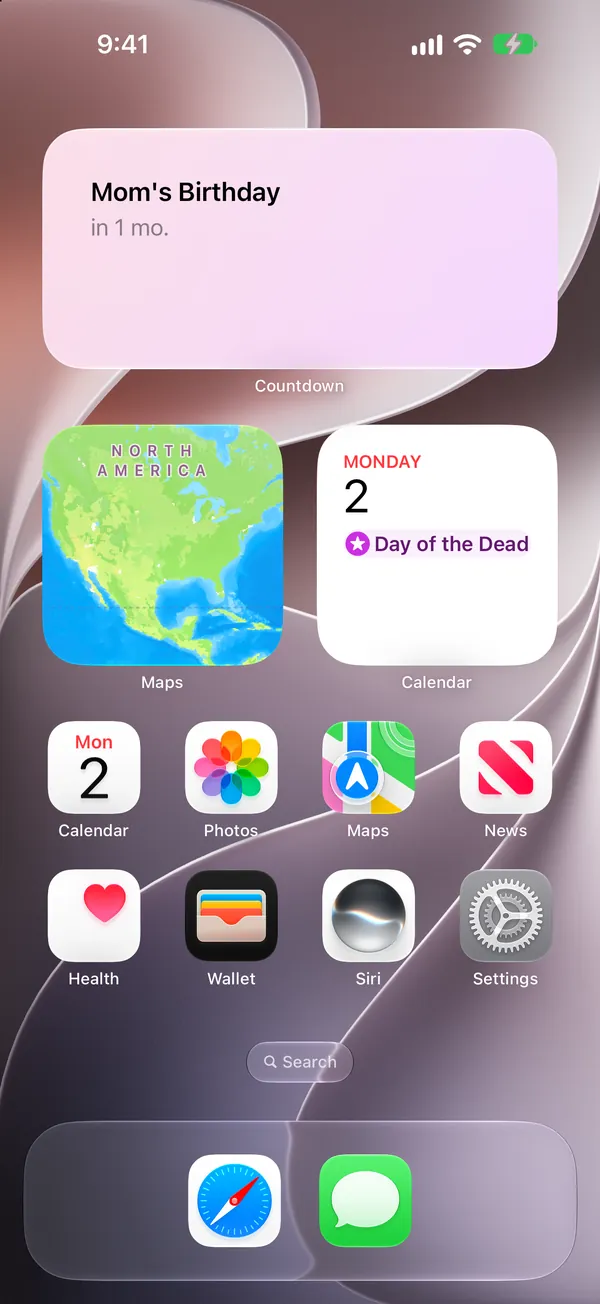
The product page is Countdown Central: Events. Download Countdown Central: Events on the App Store.
The app page says the same event can also appear in the Dynamic Island. It does not name a control for starting that, so this guide does not invent one. If the birthday is already on a calendar, the app page says you can import from Apple Calendar or Google Calendar, read-only, or from a CSV file. Its pricing section places calendar import on the paid plan. This guide does not list plan prices.
Show it on the Lock Screen
The Lock Screen uses the same event. The full steps are in How to Add a Countdown Widget to Your iPhone (Lock Screen and Home Screen): long-press the Lock Screen, tap Customize, tap the widget area, and pick the birthday. That guide also covers a widget that does not update.
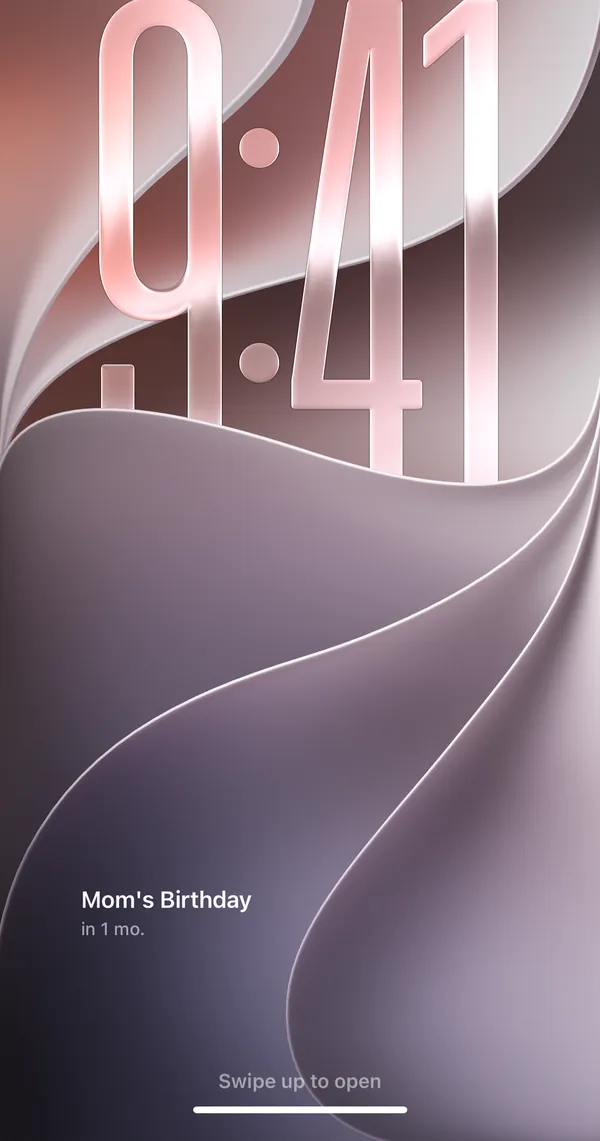
The app page says the Lock Screen widget shows days, hours, and minutes next to the time.
Countdown for someone else's birthday / recurring yearly
Someone else's birthday is the same kind of event. Use their name and the next date, then add the Home Screen or Lock Screen widget the same way. This guide does not state how many events the download includes.
A birthday comes back every year. The calculator above rolls to the next one on its own. The app page describes an event with a date you choose. It does not describe an automatic yearly repeat, so this guide does not claim one. When that date has passed, set the following year's date and the widget counts toward it.
A past date is a different question. The app page says a future date counts down and a past date counts up, on the same widget. Days since a birthday that already happened is a count up. Days until the next one is a count down.
Other ways
A countdown app is not the only place a birthday can live. This list is not a ranking, and this page does not compare these options.
- Calendar. Apple's Calendar app can hold a date.
- Reminders. Apple's Reminders app can hold a date.
- Other countdown apps. Simple Count, Pretty Progress, Countdown by Find Appiness, and Kounts are other countdown apps. The Lock Screen guide quotes what each publisher says about widgets. This page does not repeat those lines.
FAQ
How many days until my birthday?
It depends on the month, the day, and today's date. The calculator on this page counts from the date on your device to the next time that month and day occur. If today is that day, the result is 0.
What if my birthday is February 29?
In a leap year this page counts to February 29. In any other year February 29 is not on the calendar, so it counts to March 1. If today is that March 1, the result is 0.
Can I count down to someone else's birthday?
Yes. Create an event with their name and the next date, then add the widget the same way you would for your own birthday.
Does the birthday repeat every year by itself?
The calculator on this page rolls forward to the next birthday on its own. The Countdown Central: Events product page describes an event with a date you choose. It does not describe an automatic yearly repeat. When the date has passed, set the next year's date.
Does this page send my birthday anywhere?
No. The month and day stay in your browser. The count is not uploaded.