Interpreter: Quick Translate for Mac and iPhone, by Tecmanic · App Store
On Mac and iPad, translate alongside the app you're in
Interpreter: Quick Translate by Tecmanic. Runs on iPhone, iPad and Mac. On Mac, a floating panel over whatever you're working in. On iPad, runs side by side with another app (Split View or Slide Over). On iPhone, switch to it like any app. Translates offline once a language is downloaded (Apple's on-device Translation framework). On-device dictation once the speech model is installed. Free to download, with in-app purchases. App Store
Speak. Translate. Done.
Guide: Best Offline Translator Apps for Mac (2026)

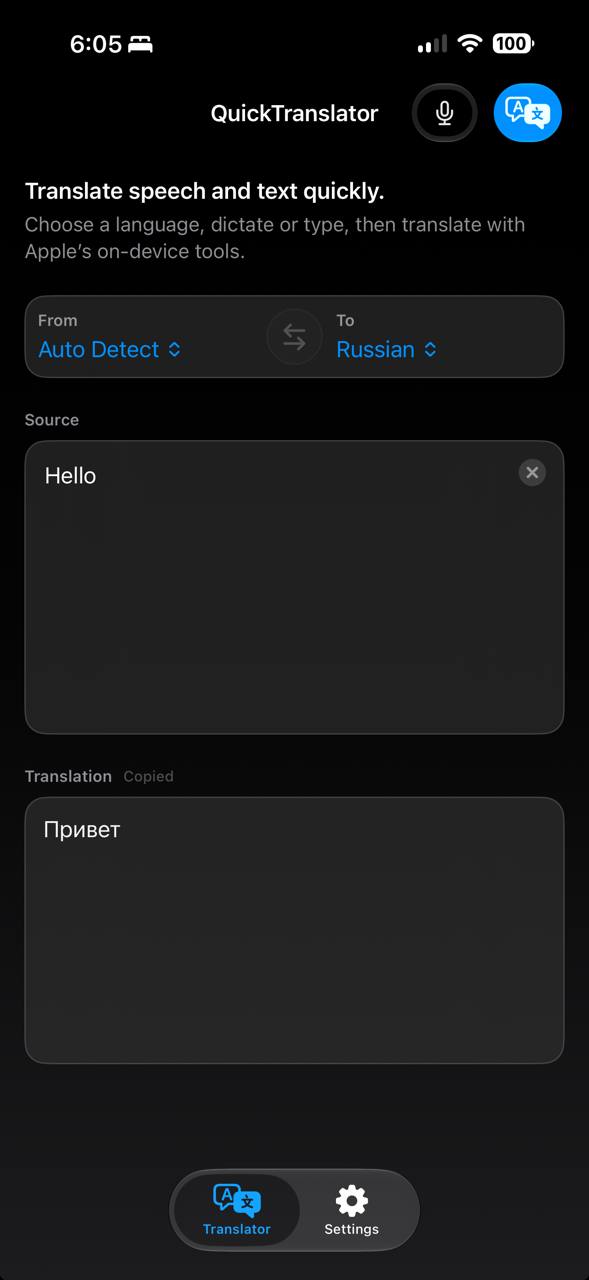
Three taps. Zero friction.
Real-time voice
Tap the mic and dictate. See the translation appear as you speak. No typing required.
On-device translation
Translation runs on-device.
One-tap copy
One-tap copy puts the translation where you can paste it — Messages, Mail, Notes.
Languages you can download.
Translation runs on-device.
Made for moments that matter
Travel
Order food, ask directions, read signs. Translate what you hear and what you read — even offline in airplane mode.
Family across languages
Video-call a relative who speaks another language. Speak naturally — Interpreter: Quick Translate bridges the gap in real time.
Work & study
Read research papers, decode emails, learn a new language. One-tap copy means the translation goes wherever you need it.
Frequently asked questions
Is there an Interpreter: Quick Translate app for Mac?
Yes, on the Mac App Store; the same app runs on iPhone and iPad.
Does it work offline?
Yes, once the language is downloaded.
Can I translate without leaving the app I'm using?
On Mac, yes: it opens as a floating panel over whatever you're working in, like the ChatGPT or Gemini desktop apps, so you keep your context. On iPad, run it side by side with another app (Split View or Slide Over) and translate while you keep working. On iPhone, you switch to it like any other app.
Is it free?
Free to download, with in-app purchases.
Is it the same as "Quick Translator" by SPARK TECH?
No, it's a different app from a different developer; Interpreter: Quick Translate is made by Tecmanic.
Get updates on Interpreter: Quick Translate
New languages, features, and tips. One short email when there's something worth knowing.
We email rarely. Unsubscribe anytime. We don't sell or share your address.